
Full description
You find out the cleaner didn't show when the next guest texts to ask if the place is ready. Or the toilet paper ran out two stays ago and nobody wrote it down. Or you're filing a damage claim with six blurry photos scattered across your camera roll.
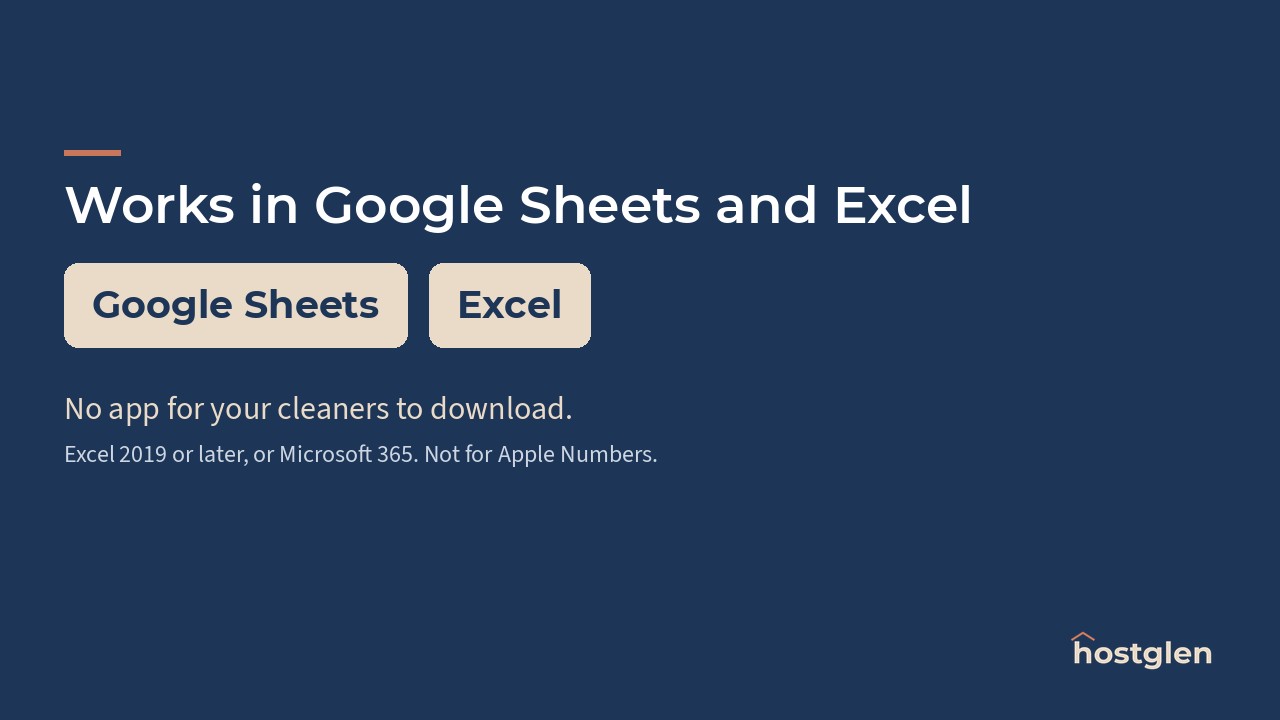
The Turnover Command Center is one workbook for the cleaning side of co-hosting. It runs in Google Sheets or Excel. Your cleaners don't need to download anything.
How it works
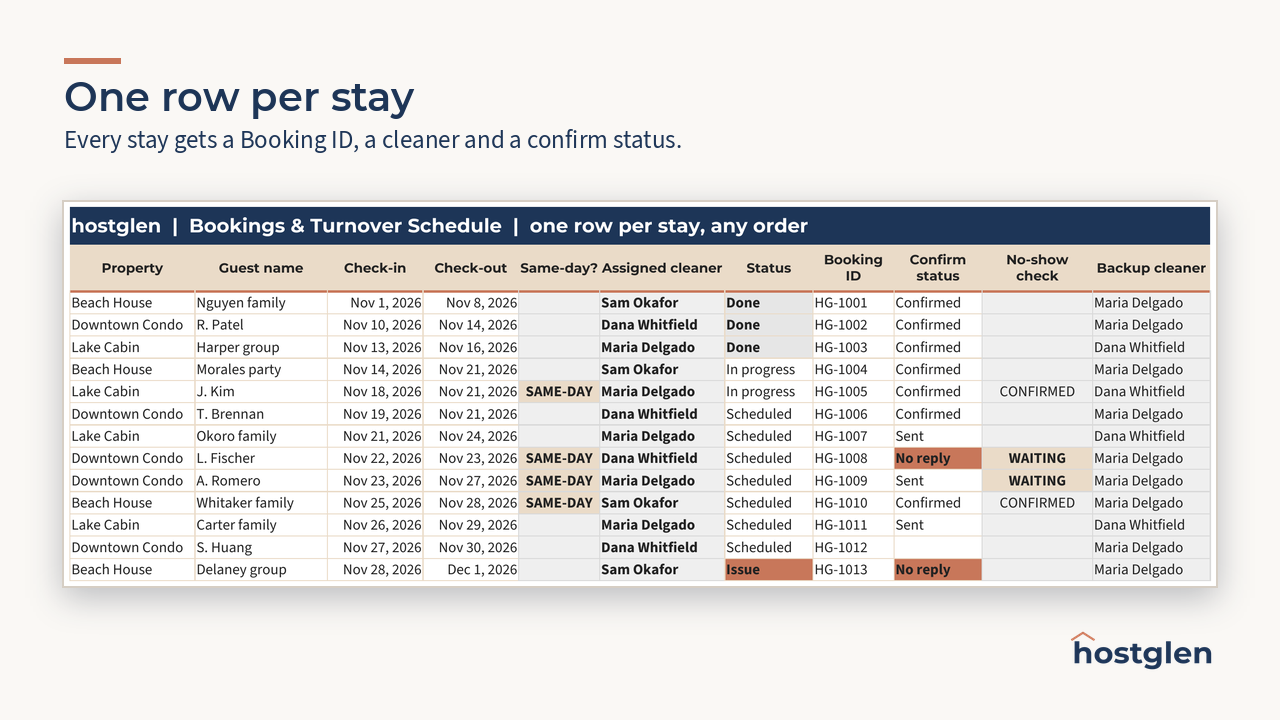
Add your properties and cleaners once. Then type in bookings as they come in (property, guest, check-in, check-out). The sheet works out the rest:
- How many hours each clean has before the next guest arrives, and whether it's a same-day or tight turnaround
- Which cleaner is on it, and who the backup is
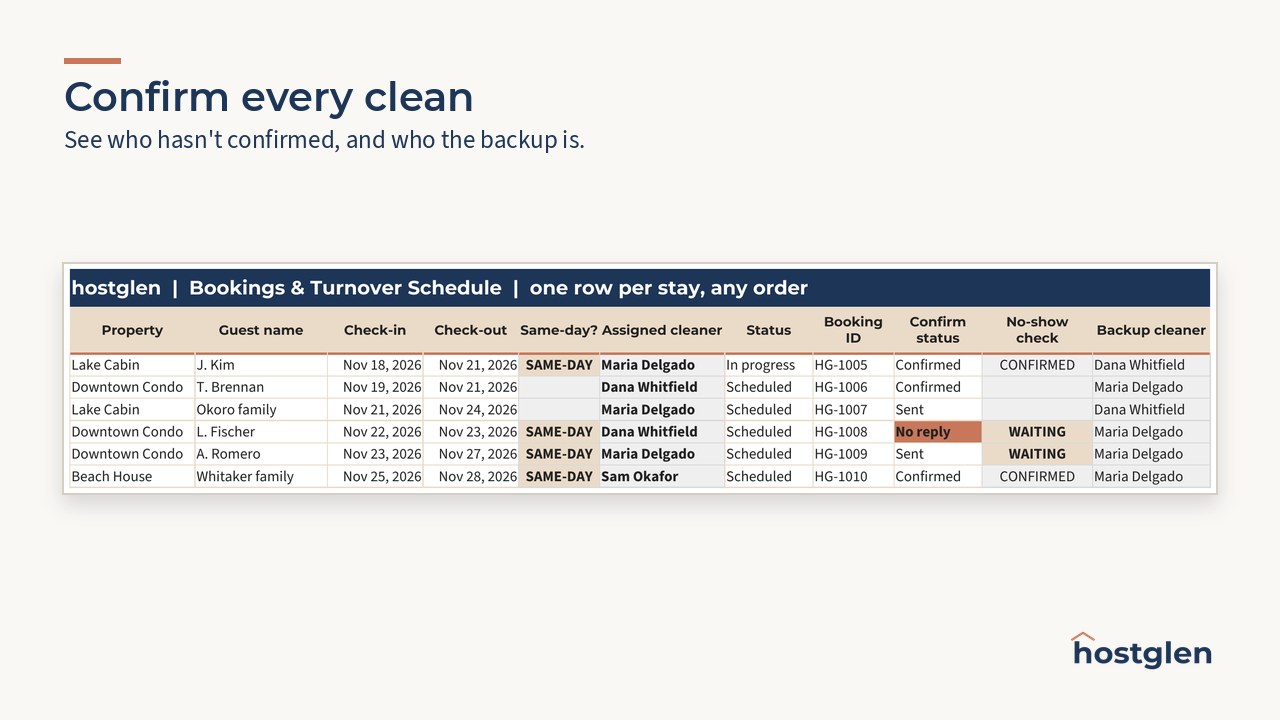
- Whether that cleaner has confirmed. If they haven't replied by a cut-off you choose (12 hours before the clean by default), the row flags NO-SHOW RISK and shows the backup's name.
- A ready-to-copy confirmation text for each clean, like: "Hi Maria, can you confirm the Lake Cabin turnover on Sat Nov 21? Clean window 10:00 AM to 4:00 PM. Reply YES to confirm." If the window runs over more than one day, the text names both dates. Paste it into a text or WhatsApp.
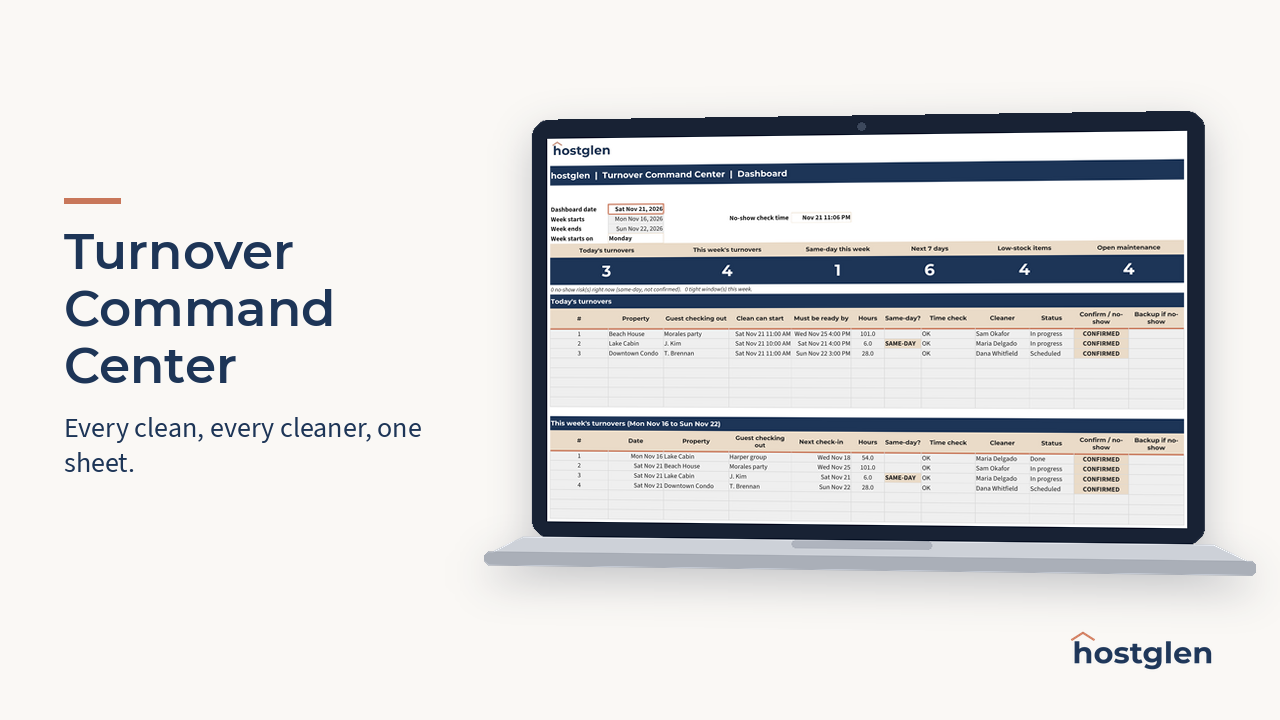
The Dashboard pulls it together. It shows today's turnovers, this week's, same-days, low-stock supplies and open repairs, plus each cleaner's turnovers and estimated pay for the week. Type any date to look ahead.
The cleaner gets one page, not five
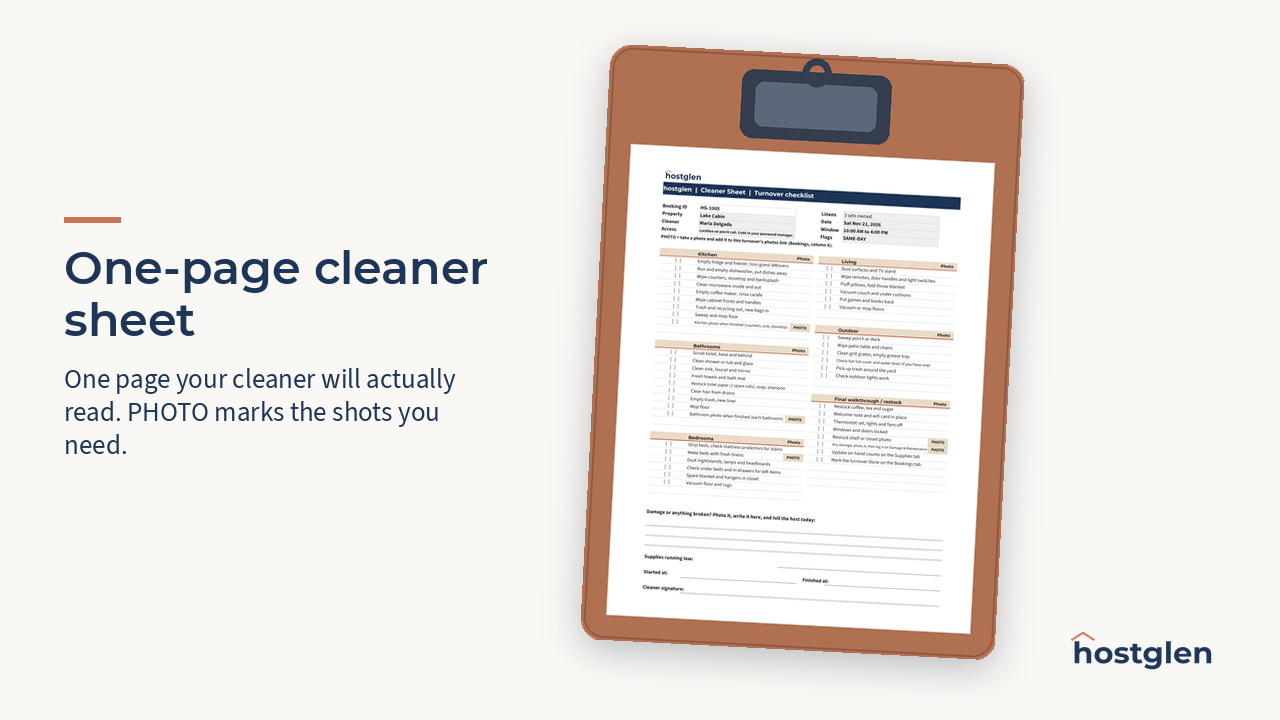
Pick a booking and the Cleaner Sheet fills in the property, date, cleaner and clean window. It prints on a single letter-size page with room-by-room tasks. Tasks that need a photo are marked PHOTO, so "all done" means the same thing to everyone. If you add more tasks to a room than the page has room for, it tells you (OVER THE LIMIT) instead of quietly cutting them off.
Supplies and damage
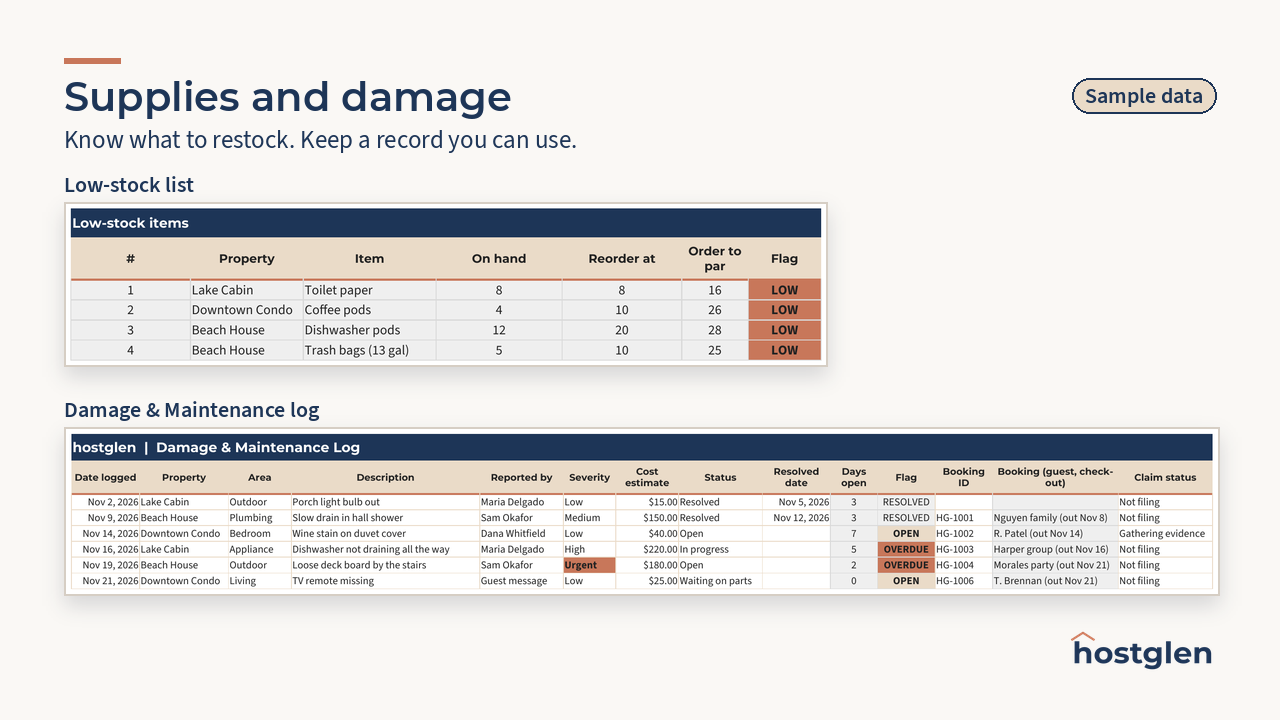
Set a par level for each item at each property. When stock drops to the reorder point it says LOW and tells you how many to buy. The Damage & Maintenance log ties each issue to a booking ID and guest, tracks how long it's been open, and keeps claim status in one place. That's handy if you ever need to back up a claim on Airbnb or Vrbo.
Built to be read quickly
Every flag is a word, not just a color (SAME-DAY, TIGHT, LOW, OVERDUE), so it still works printed in black and white. Formula cells are shaded gray, and the white cells are the ones you type in.
Who it's for
Co-hosts and small hosts running roughly 2 to 20 properties with one or more cleaners. It's for people who've outgrown sticky notes and a group text but don't want turnover software with a monthly fee. If you have one property and clean it yourself, it's probably more than you need.
What it isn't
It doesn't connect to Airbnb, Vrbo or your calendar. You type the bookings in, or paste them. It doesn't send texts for you. It writes the message and you send it.
What's included
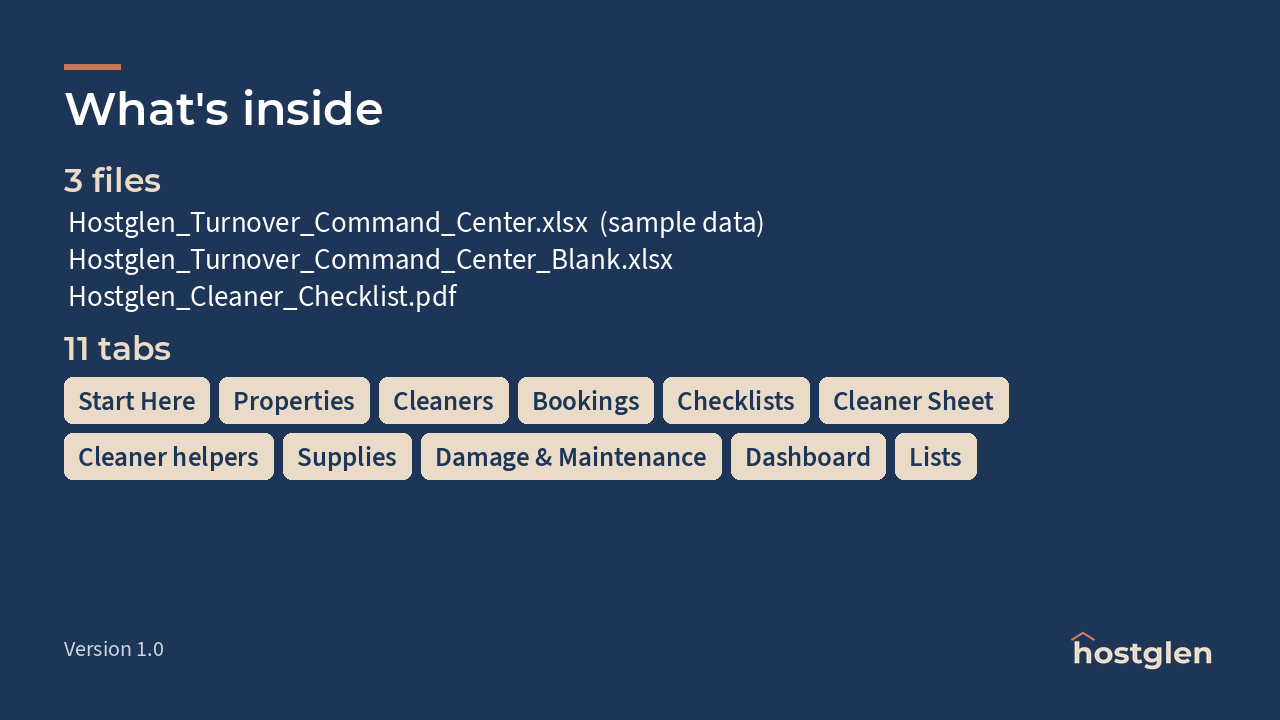
One download, Hostglen_Turnover_Command_Center_v1.0.zip, with three files:
- Hostglen_Turnover_Command_Center.xlsx is the workbook filled in with sample data: three properties, three cleaners and about 20 bookings. Open this one first and click around to see how it all fits.
- Hostglen_Turnover_Command_Center_Blank.xlsx is the same workbook with nothing in it. Use it when you're ready to add your own properties.
- Hostglen_Cleaner_Checklist.pdf is a printed example of the one-page Cleaner Sheet, filled in from the sample, so you can see what your cleaner gets.
Both workbooks open on a Start Here tab with the setup steps (about 15 minutes). The sample copy also shows how to clear the sample data if you'd rather keep building in that file.
Inside each workbook, 11 tabs: Start Here, Properties, Cleaners, Bookings, Checklists, Cleaner Sheet, Cleaner helpers, Supplies, Damage & Maintenance, Dashboard, Lists. Cleaner helpers does the lookups behind the printed sheet. You don't need to touch it.
Capacity: up to 20 properties, 20 cleaners, 300 bookings, 100 supply lines and 100 damage or maintenance entries. Need more? Copy the last row down.
Version 1.0.
Requirements
- Google Sheets (free with a Google account). Upload the .xlsx and choose File > Save as Google Sheets. OR
- Microsoft Excel 2019 or later, or Microsoft 365 (desktop)
- No add-ons, scripts or macros.
- Fonts: Montserrat and Source Sans 3 (free Google Fonts). If they're missing, the sheet still works and just shows a standard font.
- Not supported in Apple Numbers.
Refund and support
Questions or something not working? Email hello@hostglen.com and we'll help you get it set up. If the file won't open or doesn't work as described, email us within 14 days and we'll fix it or refund you.
For use in your own business, for any properties you manage. Please don't resell, share or republish the files.