
Full description
Owners don't usually leave over one bad month. They leave when they can't see how you got to the number. "Why is my payout lower than last time?" is a fair question, and "the software doesn't show that" is a bad answer.
The Owner Reporting Kit is one workbook for the money side of co-hosting. At month end you copy each booking from the Airbnb or Vrbo payout report (ID, dates, gross rent, cleaning fee, platform fees, any refund). The sheet does the math and builds a statement you can send.
The statement
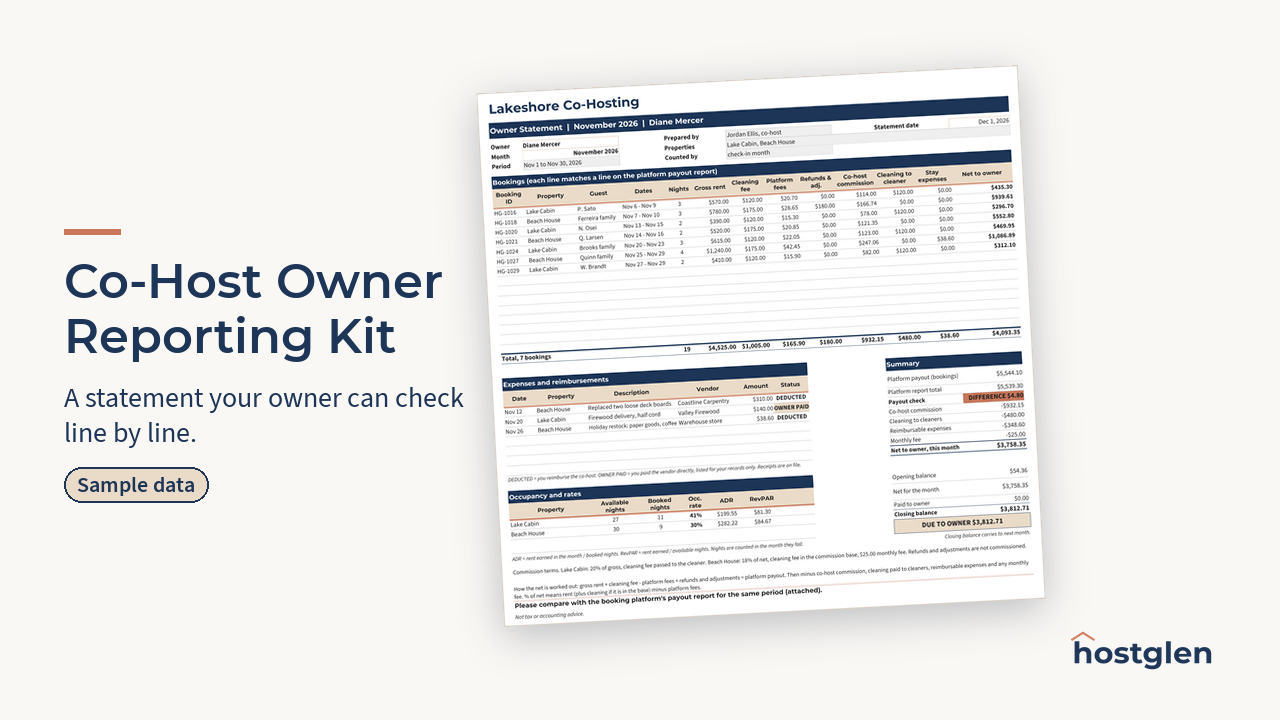
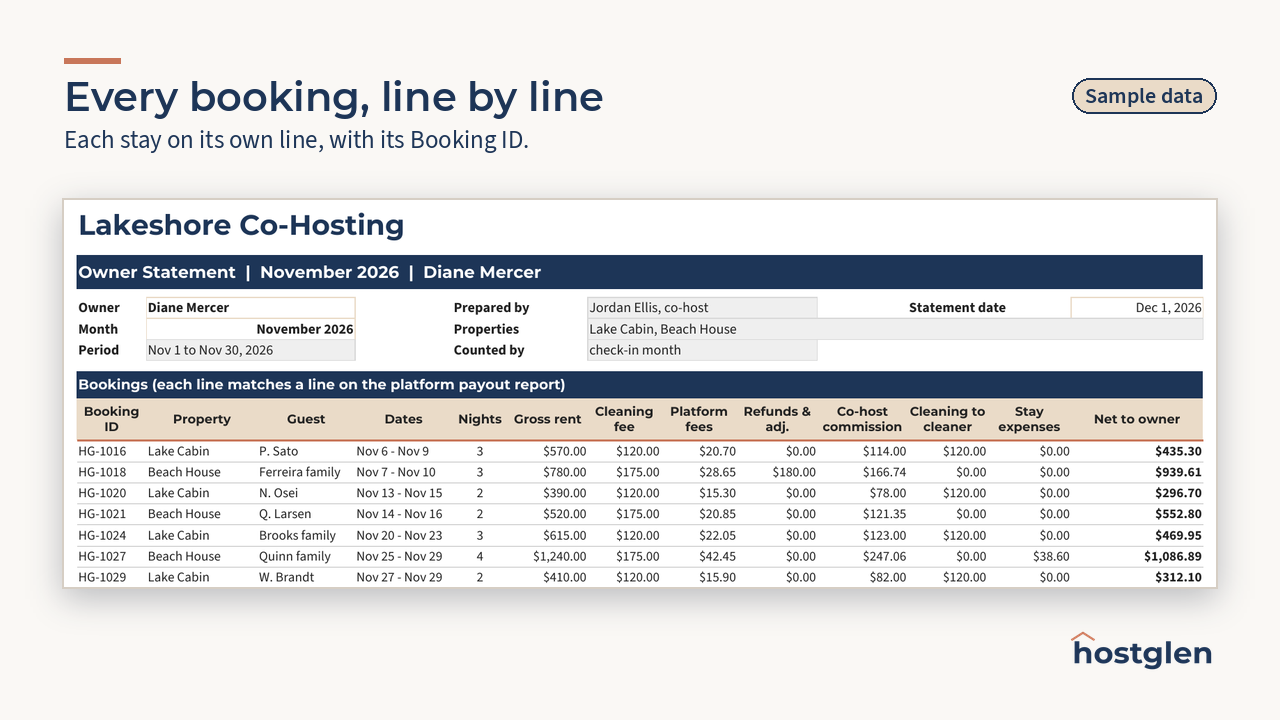
Pick an owner and a month. The Statement tab fills in every booking on its own line, with nights, gross rent, cleaning fee, platform fees, refunds and adjustments, your commission, cleaning paid to the cleaner, expenses on that stay and the net to the owner. It prints on one landscape letter page.
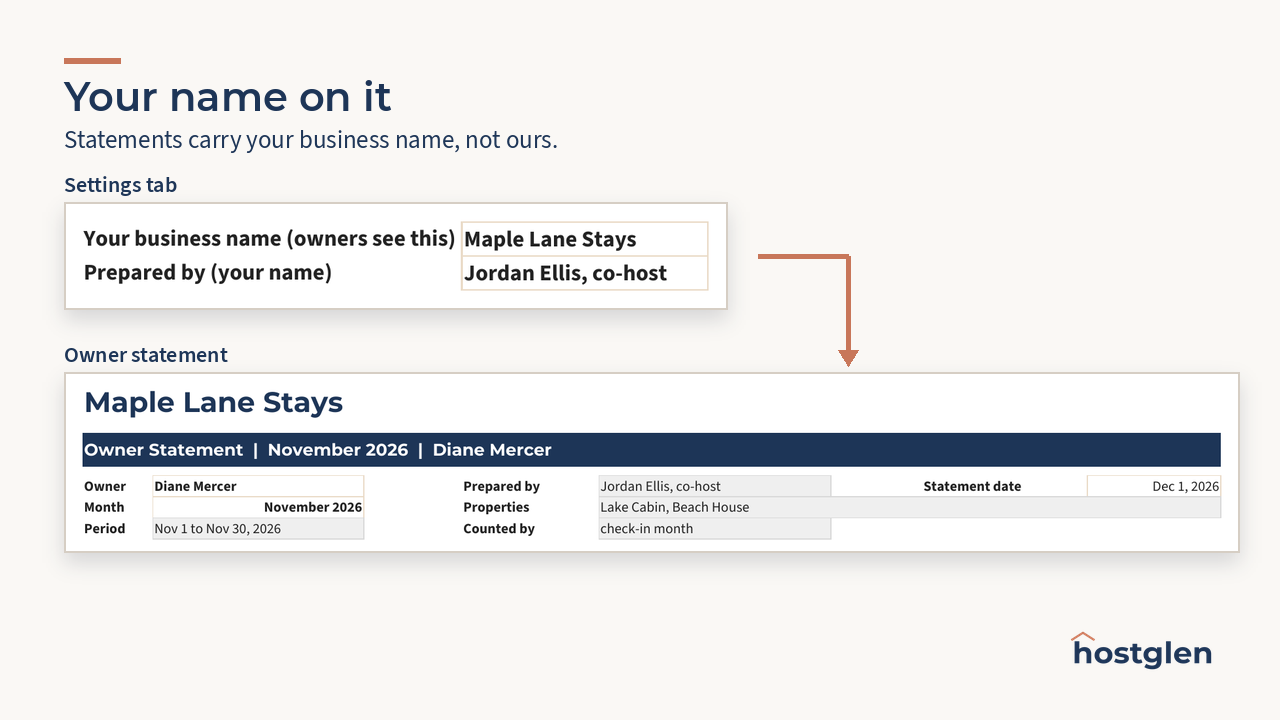
The header shows your business name, not ours. Add your logo if you like. At the bottom it spells out the commission terms and how the net was worked out, in plain words, so your owner doesn't have to email you to ask.
It checks itself against the payout
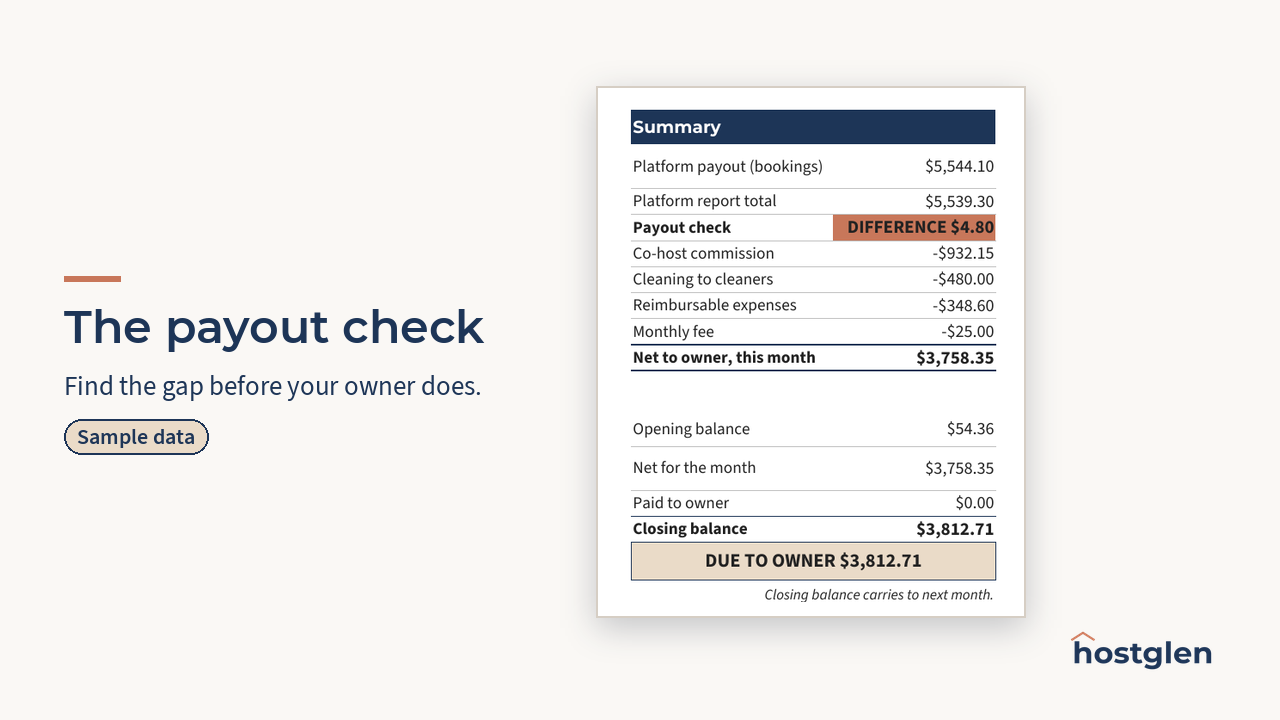
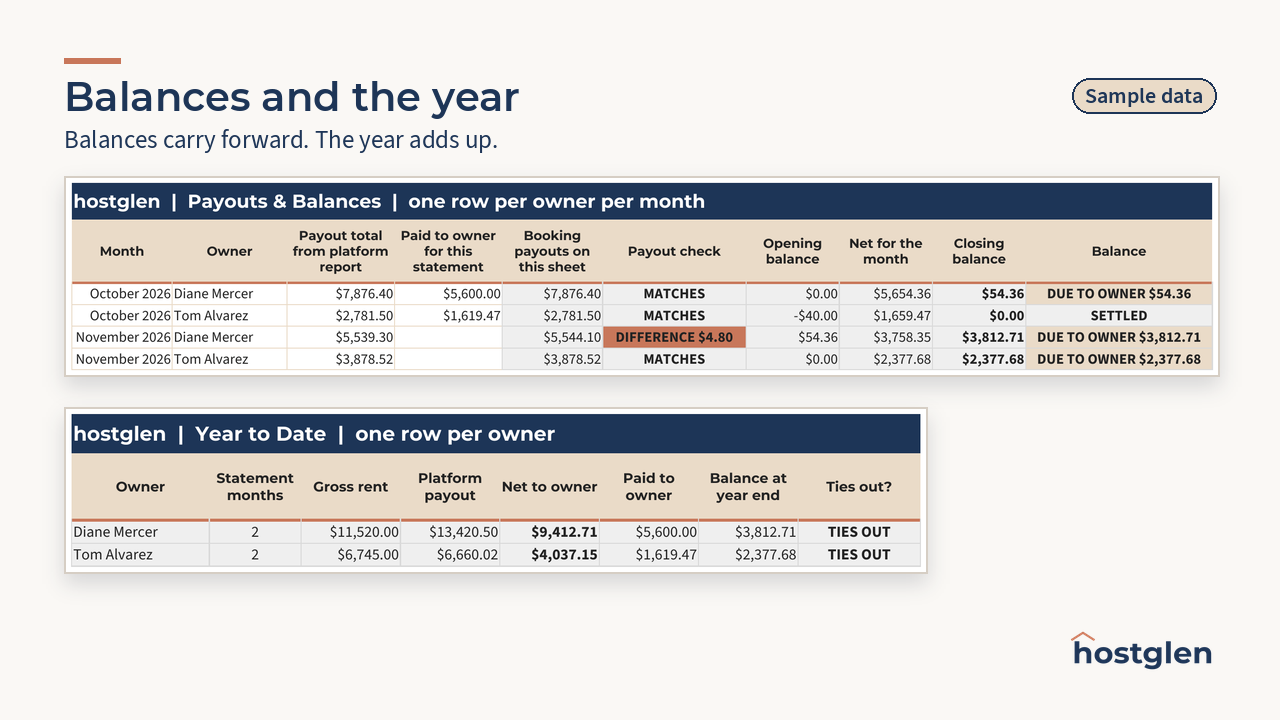
Type the payout total from the platform report. If your booking lines add up to it, the sheet says MATCHES. If they don't, it says DIFFERENCE and the dollar amount. A gap like that usually means a missed booking, a refund or an adjustment, and it's a lot nicer to find it before your owner does. The sample file has one on purpose. One owner's November is off by $4.80, so you can see what it looks like.
Set up the way you actually charge
- Commission as a % of gross or a % of net, set per property
- Cleaning fee passed straight to the cleaner, or kept in the commission base
- An optional flat monthly fee
- Refunds and resolution payouts go in their own column. They change the payout and the net, and they aren't commissioned.
- Stays that cross two months land on the check-in month by default. You can switch to check-out, or move a single booking to another month.
Balances, expenses and the rest
Opening balance, net for the month, what you paid the owner, and the closing balance. It reads DUE TO OWNER, DUE FROM OWNER or SETTLED, and the closing balance becomes next month's opening balance on its own.
The Expense Log keeps repairs and supplies with a receipt link. Mark each one as something you paid and the owner pays back (DEDUCTED), something the owner paid directly (OWNER PAID), or a quote still WAITING ON OWNER.
There's also occupancy, ADR and RevPAR per property, with blocked or owner nights taken out. And a Year to Date tab gives one row per owner with the year's totals, plus a TIES OUT check against the monthly rows.
Four owner messages, already filled in
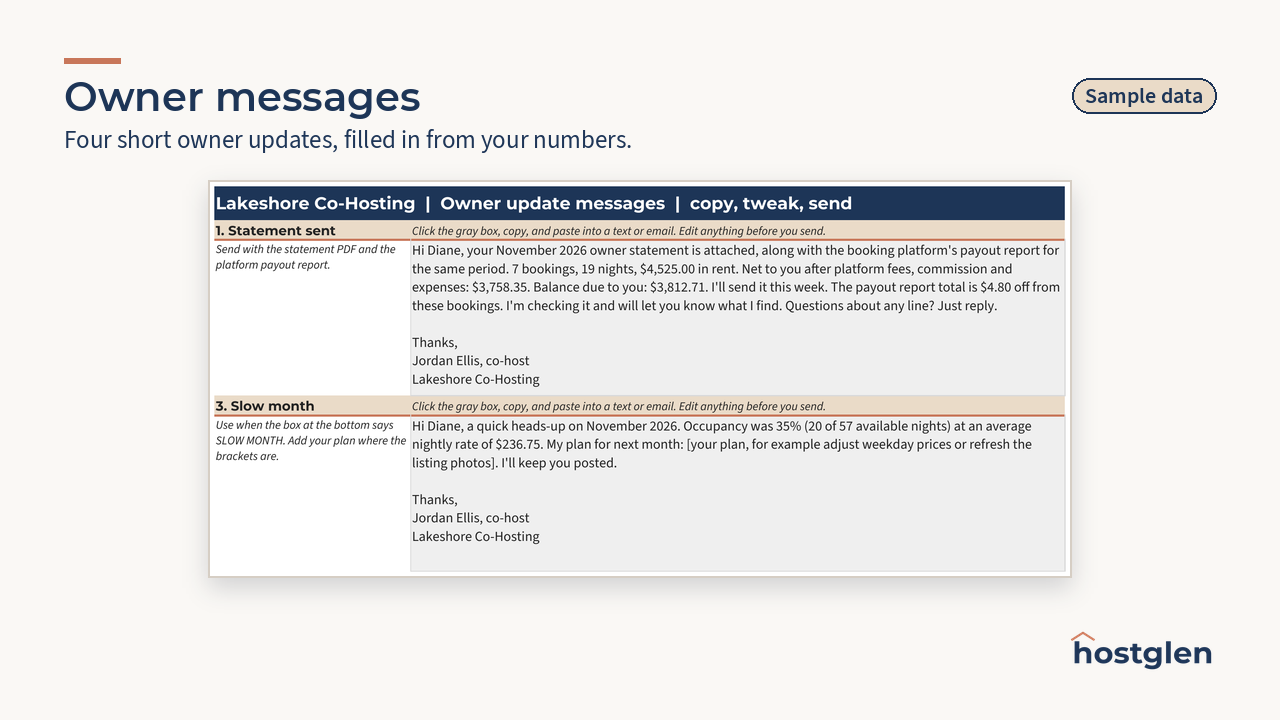
The Messages tab writes four short updates from the same numbers: statement sent, a repair that needs the owner's OK, a slow month and a great month. The slow and great month notes only fill in when the month actually was one, based on occupancy levels you set. Each one uses the owner's first name and is signed with your name and business name. Copy, tweak, send.
Built to be read quickly
Every flag is a word, not just a color, so it still reads on a black and white printout. Gray cells are formulas. White cells with a sand border are where you type.
Who it's for
Co-hosts and small property managers who send owners a monthly statement, or know they should. It fits someone with a handful of owners and up to 20 properties. If you host only your own place, it's more than you need.
What it isn't
It doesn't connect to Airbnb, Vrbo or your bank. You type the bookings in from the payout report, or paste them. It doesn't send anything for you. It's a record-keeping tool, not tax or accounting advice. It doesn't do tax calculations, so check anything money-related with your own advisor.
What's included
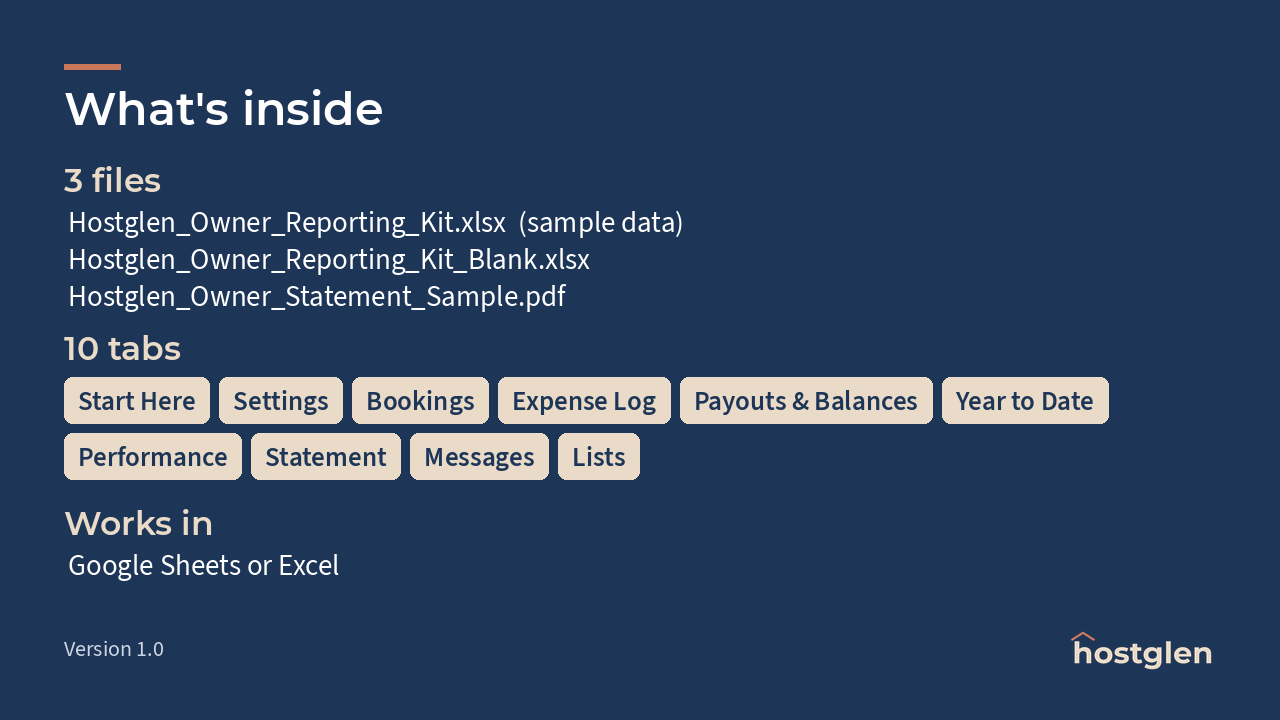
One download, Hostglen_Owner_Reporting_Kit_v1.0.zip, with three files:
- Hostglen_Owner_Reporting_Kit.xlsx is the workbook filled in with sample data for a made-up co-hosting business: two owners, three properties, and October and November 2026 bookings. Open this one first to see how the numbers move.
- Hostglen_Owner_Reporting_Kit_Blank.xlsx is the same workbook with nothing in it. Use it for your own owners.
- Hostglen_Owner_Statement_Sample.pdf is one landscape page: the finished November statement from the sample, so you can see what your owner gets before you open the sheet.
Both workbooks open on a Start Here tab with setup steps (about 20 minutes), how the numbers work and what each flag means. The sample copy also explains the sample and how to clear it.
Inside each workbook, 10 tabs: Start Here, Settings, Bookings, Expense Log, Payouts & Balances, Year to Date, Performance, Statement, Messages, Lists. There's also one hidden helper tab that keeps the printed statement clean. You don't need to touch it.
Capacity: up to 10 owners, 20 properties, 300 bookings, 200 expense lines, 120 owner-month payout rows and 240 property-month performance rows. Need more? Copy the last row down. Each printed statement shows up to 15 booking lines, 7 expense lines and 3 properties in the occupancy box. If there are more, it says so, and the totals still include everything.
Version 1.0.
Requirements
- Google Sheets (free with a Google account). Upload the .xlsx and choose File > Save as Google Sheets. OR
- Microsoft Excel 2019 or later, or Microsoft 365 (desktop)
- No add-ons, scripts or macros.
- Fonts: Montserrat and Source Sans 3 (free Google Fonts). If they're missing, the sheet still works and just shows a standard font.
- Not supported in Apple Numbers.
Refund and support
Questions or something not working? Email hello@hostglen.com and we'll help you get it set up. If the file won't open or doesn't work as described, email us within 14 days and we'll fix it or refund you.
For use in your own business, for any properties you manage. Please don't resell, share or republish the files.
This is a record-keeping tool, not tax or accounting advice.